Free TradingView Indicators|Sessions, ATR, VWAP & Risk-Management Studies — SG Group

Service / Free TradingView Indicators

Free TradingView Indicators

A library of 40+ free analysis indicators for TradingView, organized by category — trading sessions, ATR volatility, VWAP, trend, oscillators, price structure, volume and risk management. No sign-up required. Add any of them straight to your chart with the “Add to TradingView” button on each card.

PriceFree
Sign-upNot required
Indicators40
PlatformTradingView
Built withPine Script v6

Validation workflow

After the chart, check size, cost and backtest robustness

An indicator display is a starting point for observation. Validate separately exported TradingView Strategy Tester CSV/XLSX results, estimate costs from the trade conditions you enter, and calculate a single-position lot or quantity from balance, accepted risk and stop distance. The three tools are independent and do not automatically inherit indicator settings or chart data.

These tools provide descriptive analysis and estimates. They do not provide trade signals, forecasts, guaranteed returns, auto-trading or order execution.

01 — Free indicator library

Free indicators (40)

Browse by category. See how each tool works under “View details.”

Status
Sessions

Sessions / Time

5 tools
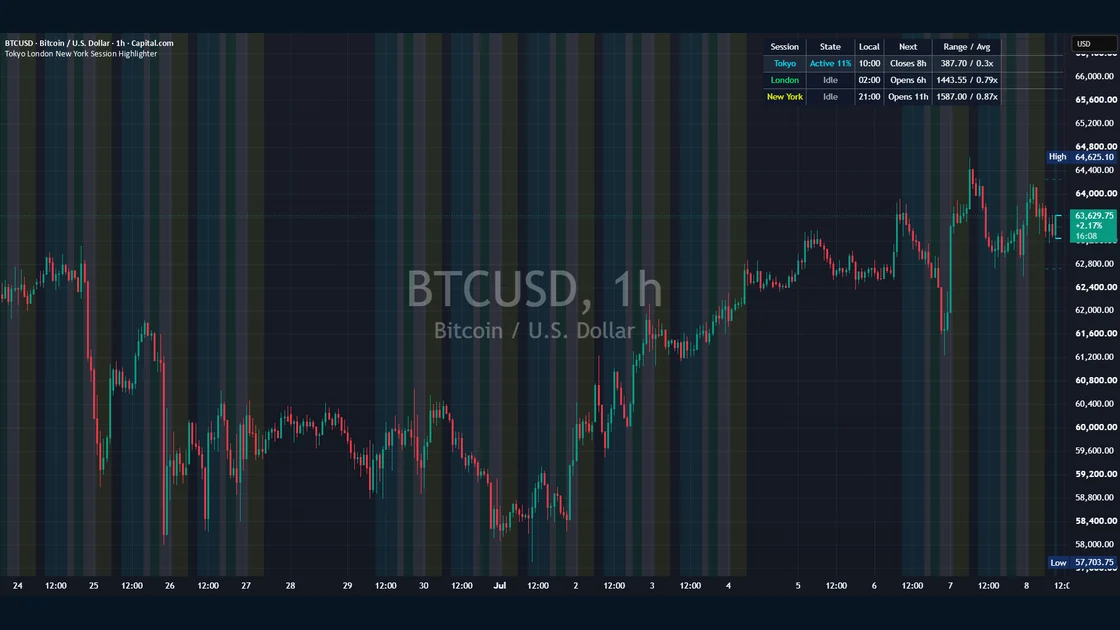
Tokyo London New York Session Highlighter published TradingView chart example
Sessions
Live

Tokyo London New York Session Highlighter

Shades the Tokyo, London and New York sessions on the chart background so you can see which market is active at a glance. Includes active-session high/low lines, overlap priority, start/end markers, a live status table and optional alerts — a clean, non-directional way to read time-of-day behavior.

ForDay traders who want to read how each session behaves

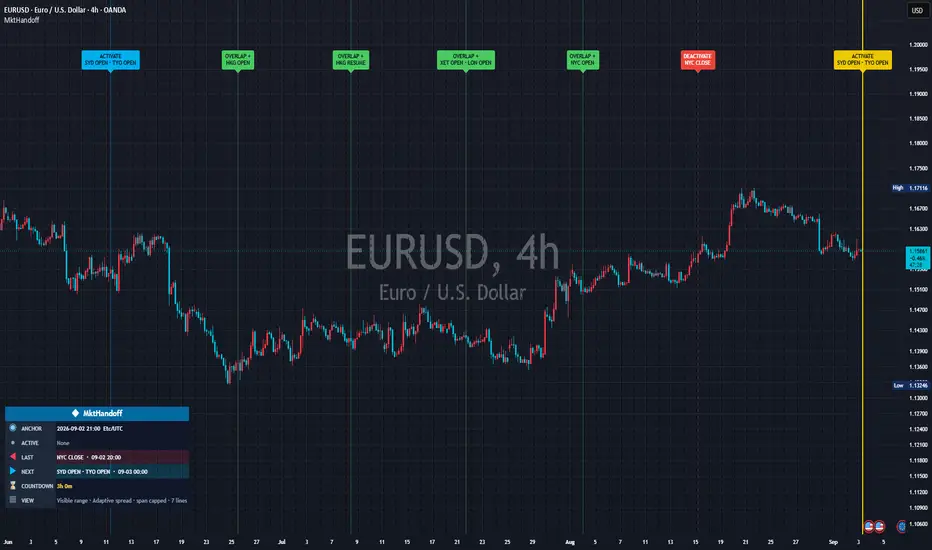
Published TradingView chart example: Global Cash Market Open Close Handoff Sequence
Sessions
Live

Global Cash Market Open Close Handoff Sequence

Converts six editable cash-market schedules into open, break, resume and close timestamps, consolidates simultaneous events, classifies active-market handoffs and shows the next boundary. It is not a price signal.

ForUsers examining global cash-market time-zone transitions and simultaneous handoffs

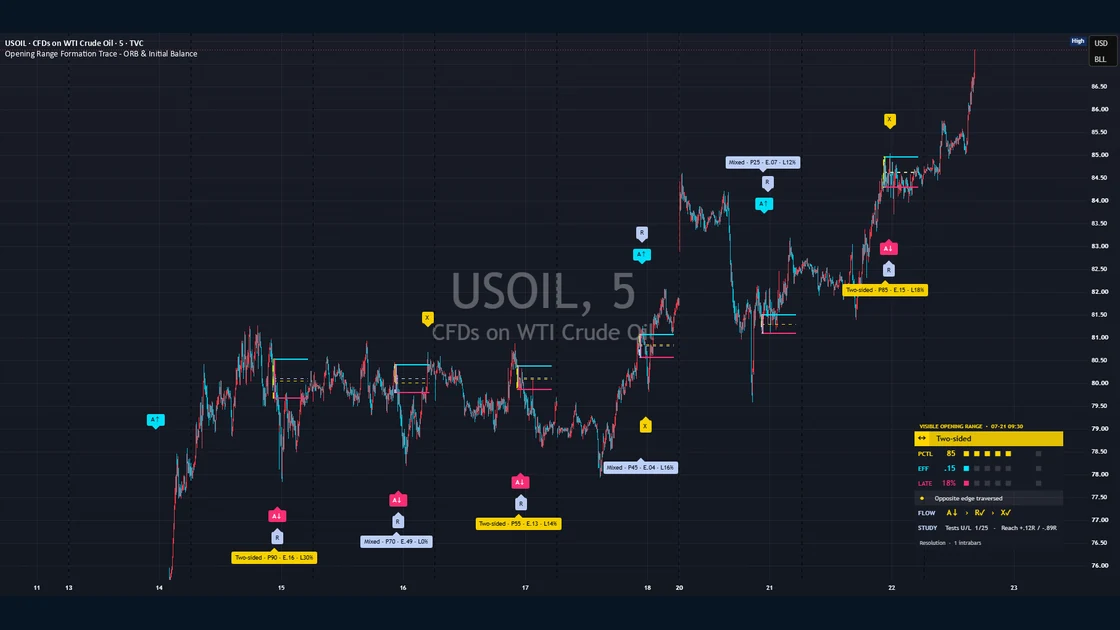
Opening Range Formation Trace - ORB & Initial Balance published TradingView chart example
Range
Live

Opening Range Formation Trace – ORB & Initial Balance

Visualizes a configurable opening range and preserves how it formed as cumulative time-slice envelopes. Once the range locks, it classifies the formation from transparent measurements and tracks neutral post-range events such as acceptance, rejection and traversal. Includes intrabar sampling, adaptive historical rendering, width context and a compact research panel; it is not a directional ORB signal.

ForTraders researching how an opening range formed and what price did after it locked

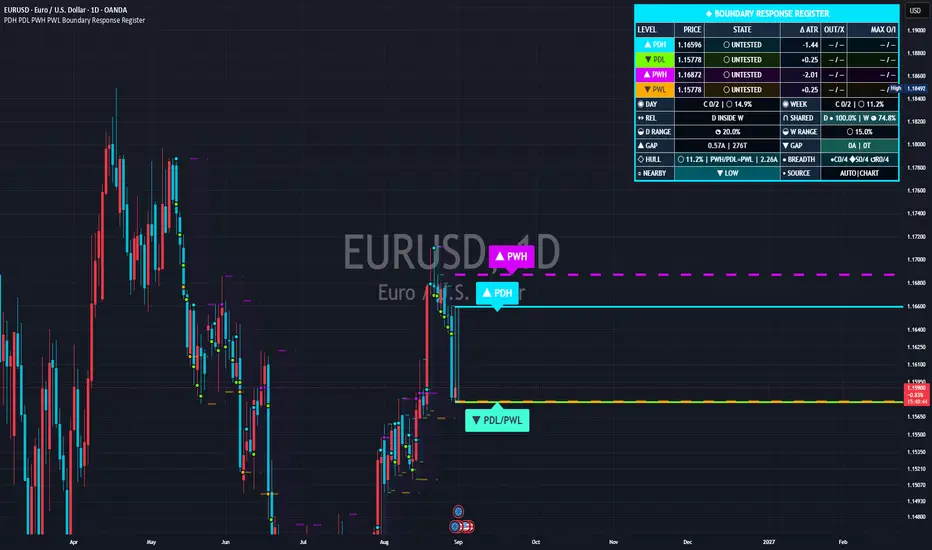
Published TradingView chart example: PDH PDL PWH PWL Boundary Response Register
Levels
Live

PDH PDL PWH PWL Boundary Response Register

Plots PDH, PDL, PWH and PWL from completed prior periods, then registers four-stage lifecycle, post-contact residency and excursions, nearby day/week pairs and shared range geometry. It is not a trade signal.

ForUsers examining nearby prior-day/week extremes and confirmed post-contact behavior

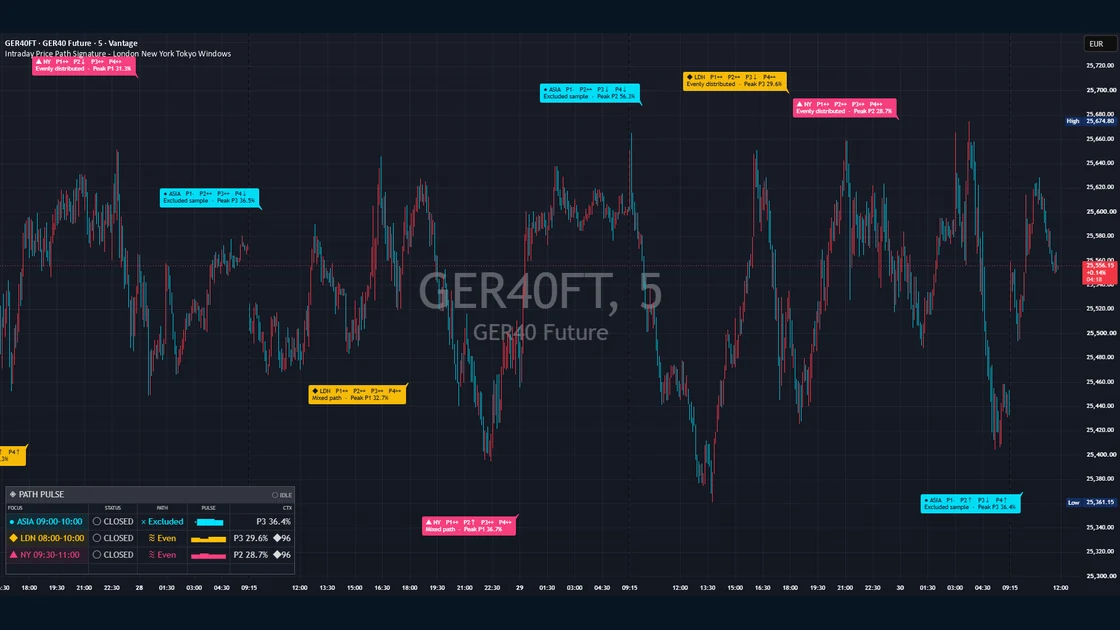
Intraday Price Path Signature - London New York Tokyo Windows published TradingView chart example
Sessions
Live

Intraday Price Path Signature – London New York Tokyo Windows

Divides configured Tokyo, London, New York or custom intraday focus windows into four equal clock-time phases, measuring gross travel, direction and directional efficiency in each. It classifies the completed P1-P4 path, compares each phase with prior matching windows, and can display phase strips, an adaptive lens, a fixed research panel and factual alerts. A non-directional research tool, not a trading signal.

ForResearchers of how price travel forms inside market opens and custom focus windows

Volatility

Volatility / ATR

7 tools
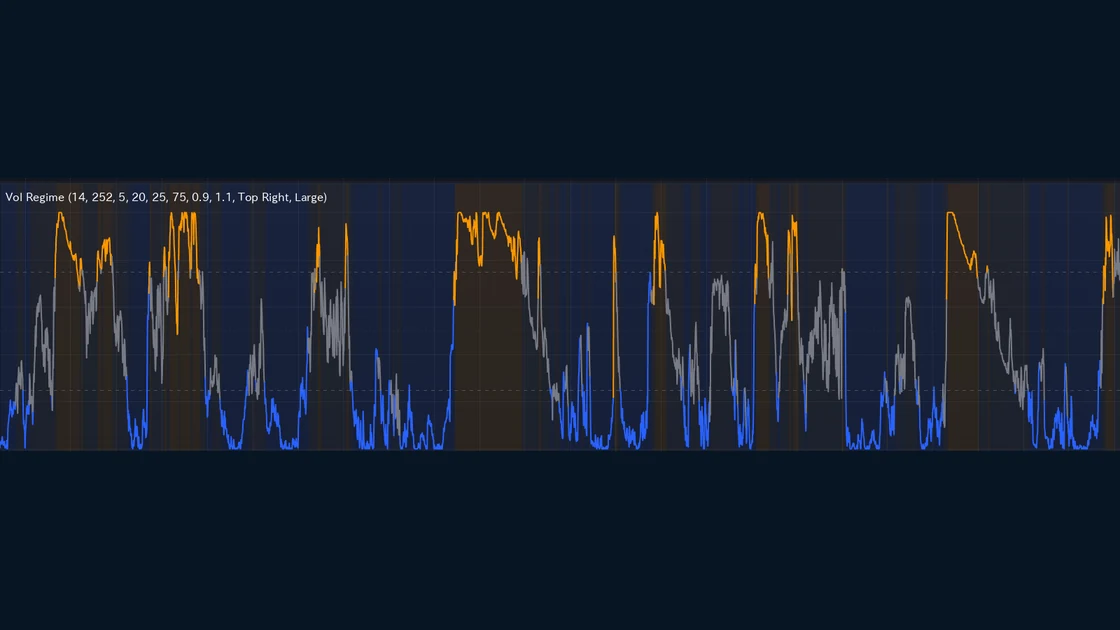
Volatility Regime Dashboard published TradingView chart example
ATR
Live

Volatility Regime Dashboard

Combines two independent measures — a price-normalized ATR percentile and a fast/slow ATR compression ratio — and only switches state when both agree (hysteresis), for a low-noise read of Compressed / Normal / Expanded. Background shading and an info table show whether the market is calm or wild at a glance.

ForTraders who want to gauge whether the market is calm or volatile — its regime

ATR
Soon

ATR Volatility Bands

Visualizes the price range with upper and lower bands based on ATR.

ForTraders who want a feel for typical price travel

Add to TradingView
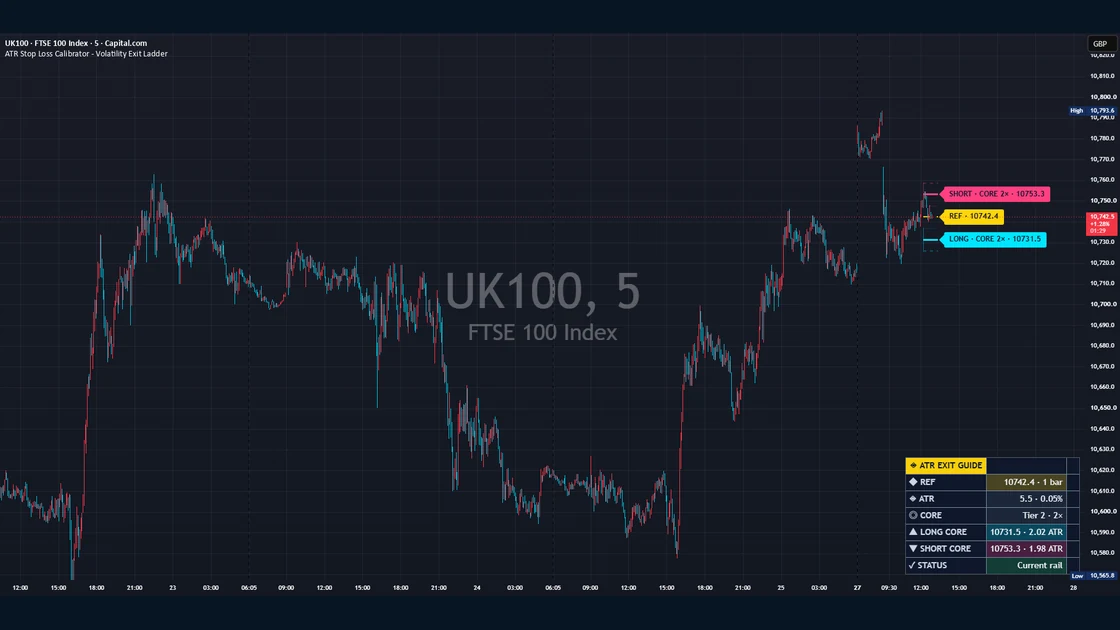
ATR Stop Loss Calibrator - Volatility Exit Ladder published TradingView chart example
ATR
Live

ATR Stop Loss Calibrator – Volatility Exit Ladder

Plots three user-defined ATR tiers above and below a selected reference price, with six reference models, four ATR smoothing methods, a highlighted Core tier, optional locked-reference ratcheting, Close/Wick reach tests, alerts, right-edge tags and a compact readout. It is an analytical overlay for comparing exit-reference distances — not an entry signal, trade recommendation, stop order or broker integration.

ForTraders who want to compare volatility-scaled exit references and study fixed or ratcheting ATR levels

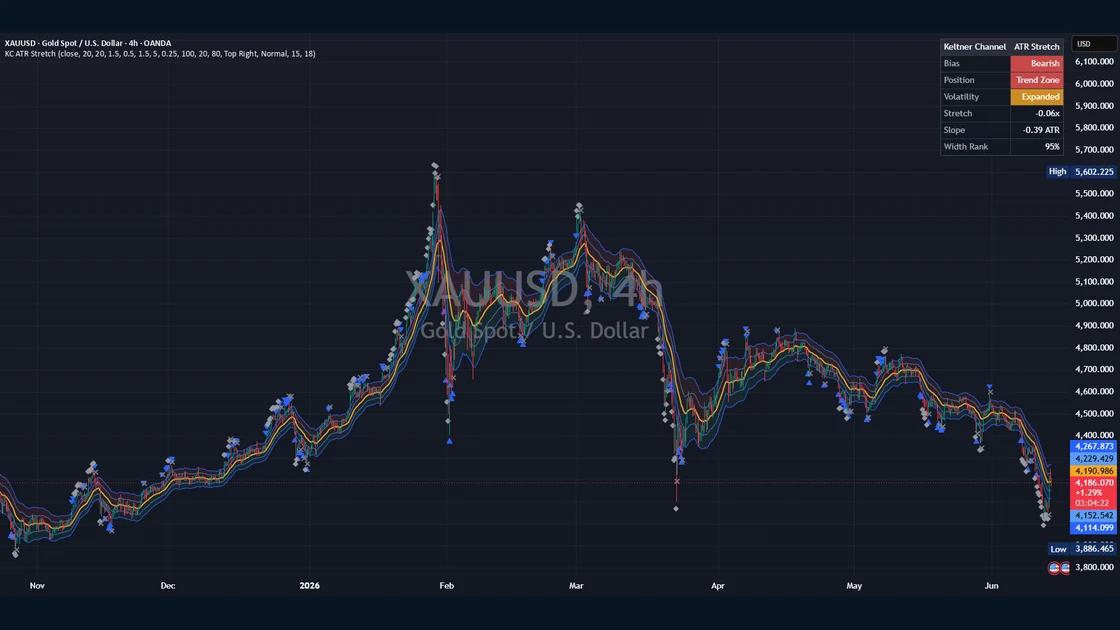
Keltner Channel ATR Stretch published TradingView chart example
Volatility
Live

Keltner Channel ATR Stretch

Plots an EMA-based channel scaled by ATR and reads the chart state for you in one compact dashboard — trend Bias, Position within the channel, Volatility width (quiet/normal/expanded) and Stretch from the basis. A context tool for spotting trend lean and over-extension at a glance, not a signal generator.

ForTraders who want trend lean and over-extension in one view

Volatility
Soon

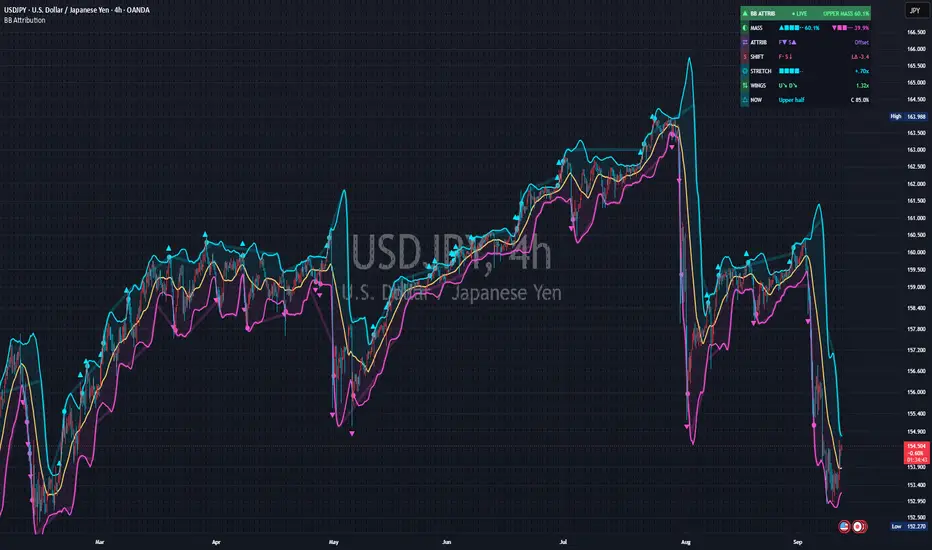
Bollinger Bands

Plots a moving average ± standard deviation to show dispersion and squeezes.

ForTraders watching dispersion and contraction

Add to TradingView
Volatility
Soon

Historical Volatility

Shows realized volatility over a set period in a sub-pane.

ForTraders who want volatility as a number

Add to TradingView
ATR
Soon

ATR Percent

Normalizes ATR as a percentage of price.

ForTraders comparing volatility across symbols

Add to TradingView
VWAP

VWAP / Average price

5 tools
VWAP + Deviation Bands published TradingView chart example
VWAP
Live

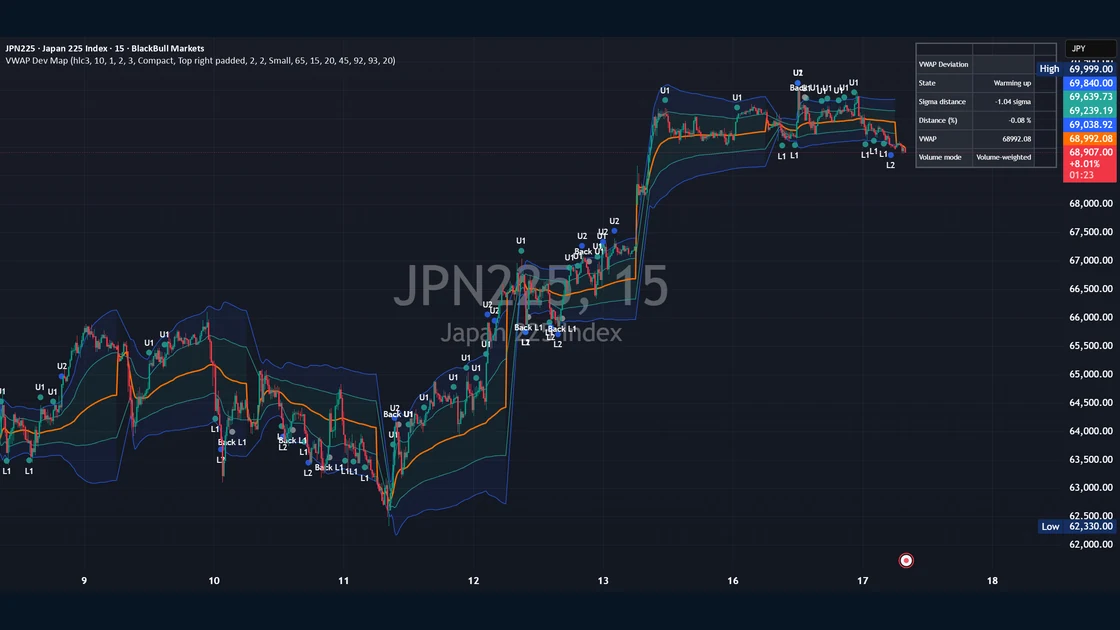
VWAP + Deviation Bands

Plots the current exchange day’s VWAP with volume-weighted standard-deviation bands (inner, outer and an optional tail) and reads the sigma- and percent-distance from VWAP. A compact dashboard sums up a neutral location state (near VWAP / inner range / one-sigma edge / two-sigma extension / outer tail) and the active volume mode, falling back to equal weight when volume is unusable. Confirmed-bar markers for band and VWAP crossings round out a context tool for gauging how far price has stretched from the average.

ForTraders watching deviation from the average price

Published TradingView chart example: Anchored VWAP Origin Chronicle - Manual Swing High and Low
VWAP
Live

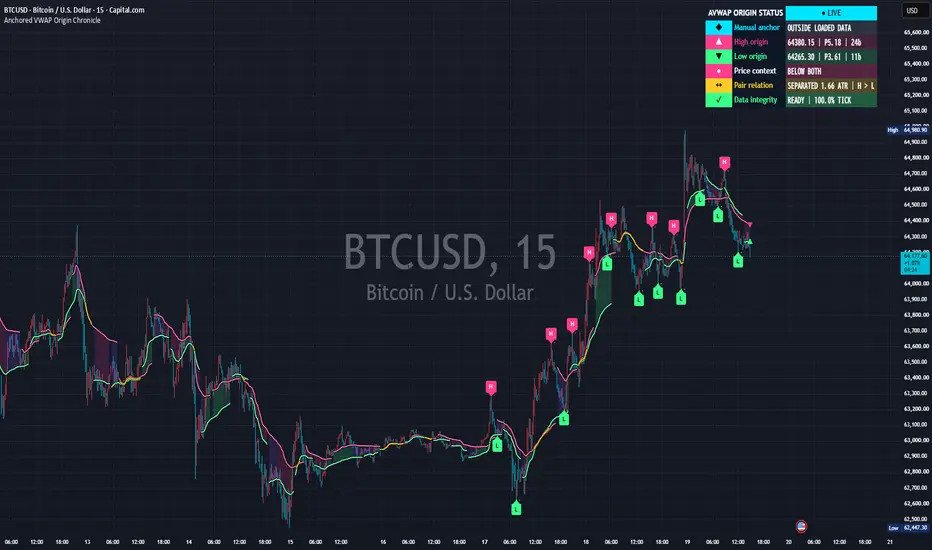
Anchored VWAP Origin Chronicle – Manual Swing High and Low

Calculates three independent anchored VWAPs from one manual chart point and the latest accepted confirmed swing-high and swing-low origins. M/H/L markers, confirmation delay, automatic-pair context and visible-range volume integrity are made explicit. It is not a trade signal.

ForUsers comparing volume-weighted price from a chosen event and confirmed swing origins

VWAP
Soon

Weekly / Monthly VWAP

Displays weekly and monthly VWAPs together.

ForTraders who want a longer-horizon average

Add to TradingView
VWAP
Soon

Multi-Anchored VWAP

Shows VWAPs from several anchor points at once.

ForTraders comparing multiple references

Add to TradingView
Trend
Soon

Moving Average Ribbon

Displays several periods of moving averages as a ribbon.

ForTraders reading trend slope and convergence

Add to TradingView
Trend

Trend / Moving averages

5 tools
Moving Average Structure Matrix published TradingView chart example
Trend
Live

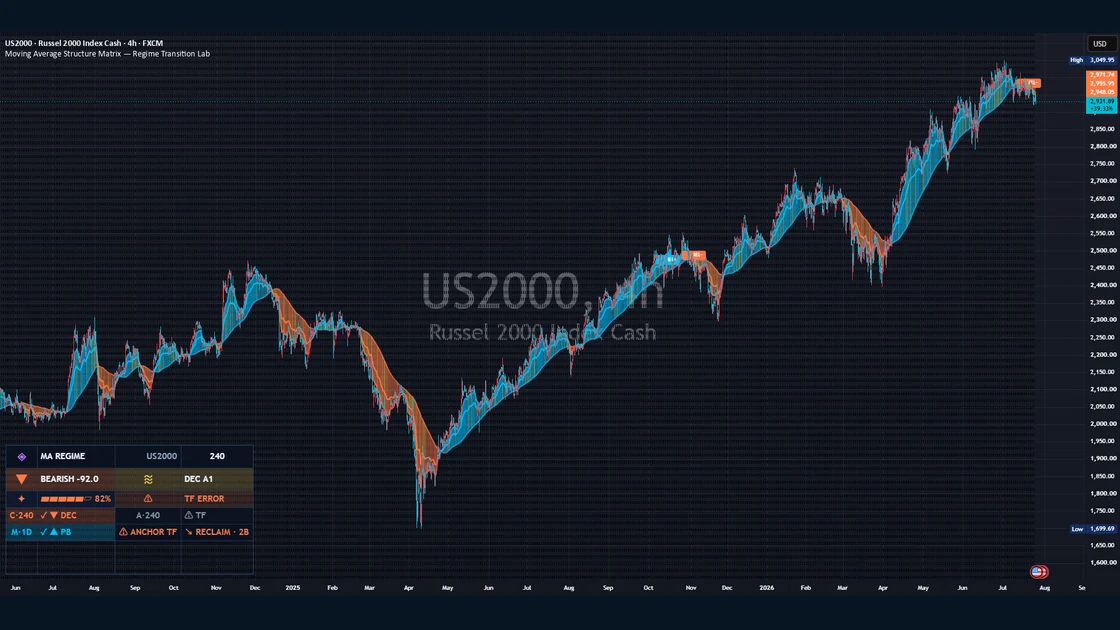
Moving Average Structure Matrix

Not a basic multi-MA ribbon, but a tool that reads how several EMA/SMA lines are ordered, clustered and positioned as a single structure. It derives a Stack Score (whether shorter MAs sit above or below longer ones), Order Purity (how consistent the dominant ordering is), Slope Consensus (whether the MAs are rising, falling or flat), Bundle Width (the distance between the highest and lowest enabled MA) and Twist Rate (how often MA pairs reorder or cross), and combines them into neutral descriptive labels for an overall Structure State. Built on the premise that moving averages lag by design and that a clean structure does not guarantee continuation, it’s a context tool for quickly reading the structural picture from multiple EMA/SMA lines.

ForTraders who want quick structural context from multiple EMA/SMA lines

Supertrend Transition Framework published TradingView chart example
Trend
Live

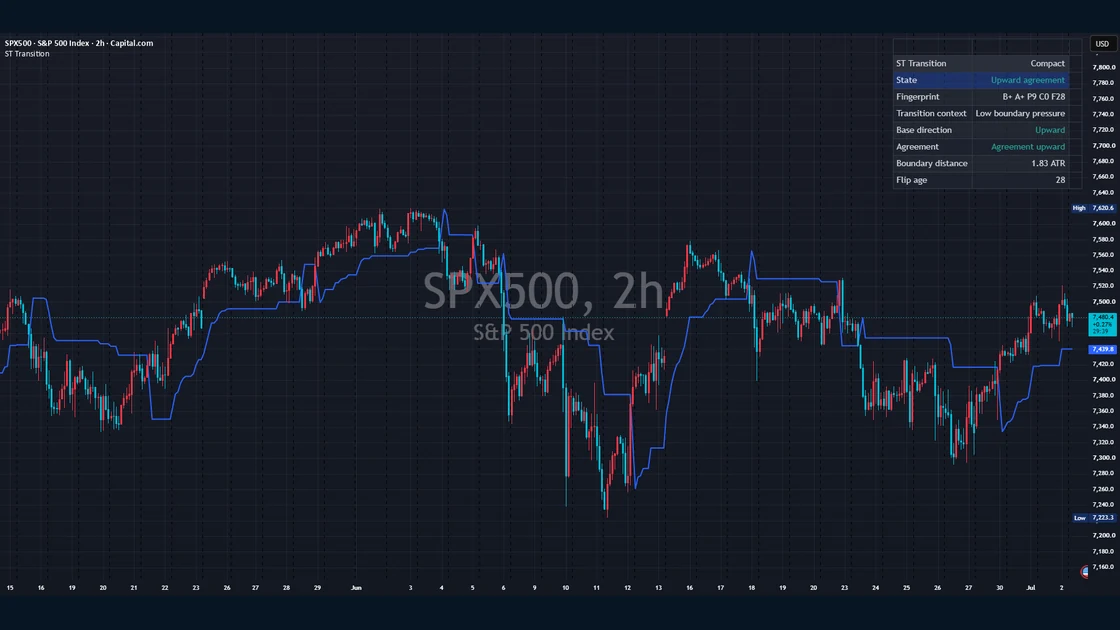
Supertrend Transition Framework

Uses a manually calculated ATR-based Supertrend boundary as the visible base layer, then adds a neutral transition layer for profile agreement, boundary distance in ATR, transition pressure, flip age, boundary touches, flip cascade context, trail slope, ATR input drift and a compact state fingerprint. Built for traders who want a trend-direction reference from ATR-based trailing boundaries while also seeing boundary proximity, profile agreement, recent transitions and trail behavior in one context table.

ForTraders who want an ATR-based trend-direction reference plus transition context

Trend
Soon

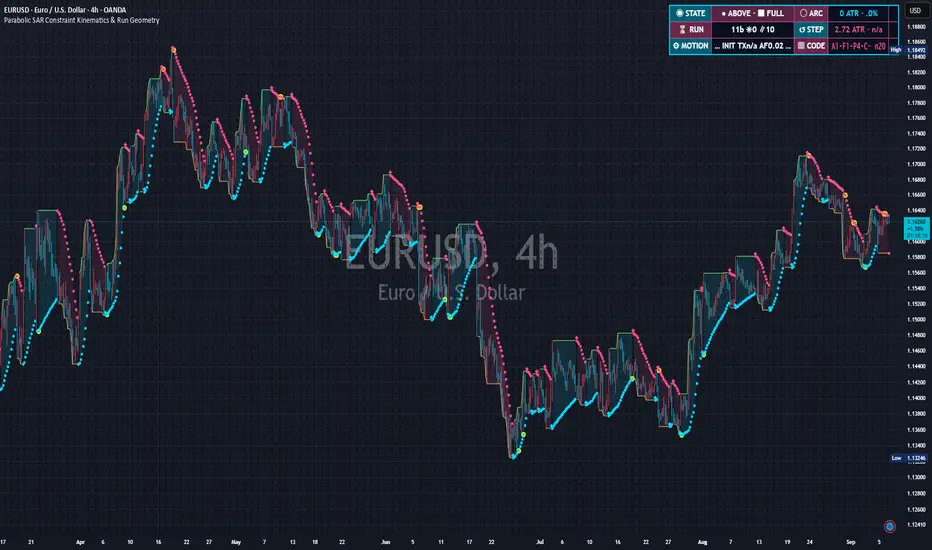
Parabolic SAR

Plots dots that mark potential reversal points.

ForTraders following trend pullback points

Add to TradingView
Ichimoku Cloud Thickness Spectrum published TradingView chart example
Trend
Live

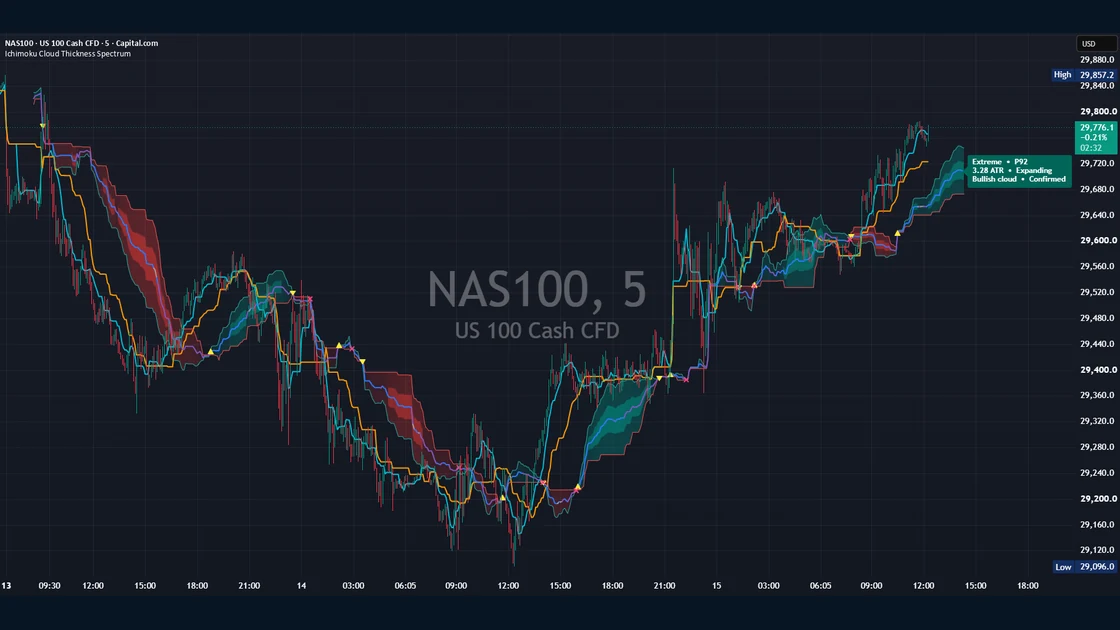
Ichimoku Cloud Thickness Spectrum

Measures the distance between Leading Span A and Leading Span B and visualizes relative cloud thickness, compression and expansion as a spectrum. It is a context tool for reading changes in Ichimoku cloud structure rather than a standalone trading signal.

ForTraders who want to read relative Ichimoku cloud thickness, compression and expansion as market-structure context

Trend
Soon

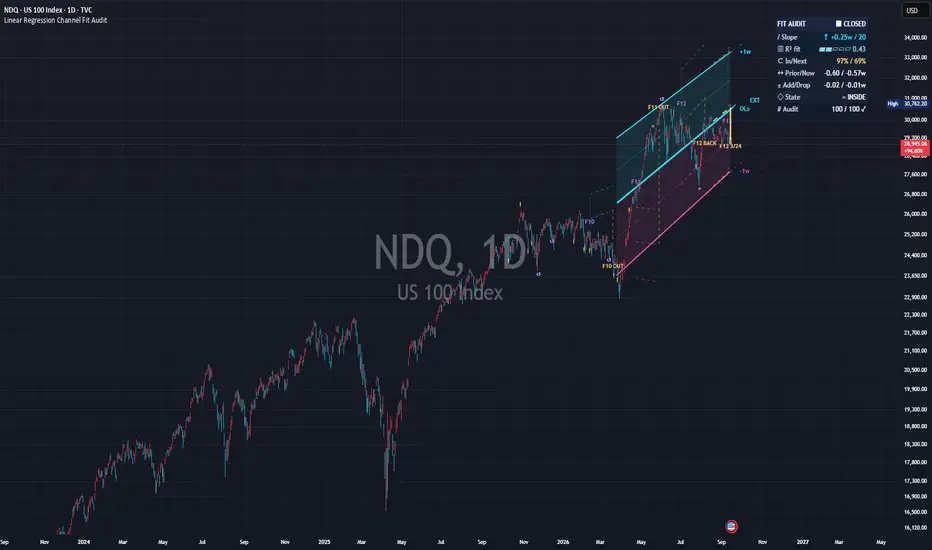
Linear Regression Channel

Visualizes the price tendency with a regression line ± width.

ForTraders who want a statistical slope

Add to TradingView
Momentum

Oscillators / Momentum

5 tools
Momentum
Soon

RSI (Relative Strength Index)

Shows overbought / oversold conditions on a 0–100 scale.

ForTraders who want over-extension as a number

Add to TradingView
Published TradingView chart example: MACD Momentum Phase & Acceleration Observatory
Momentum
Live

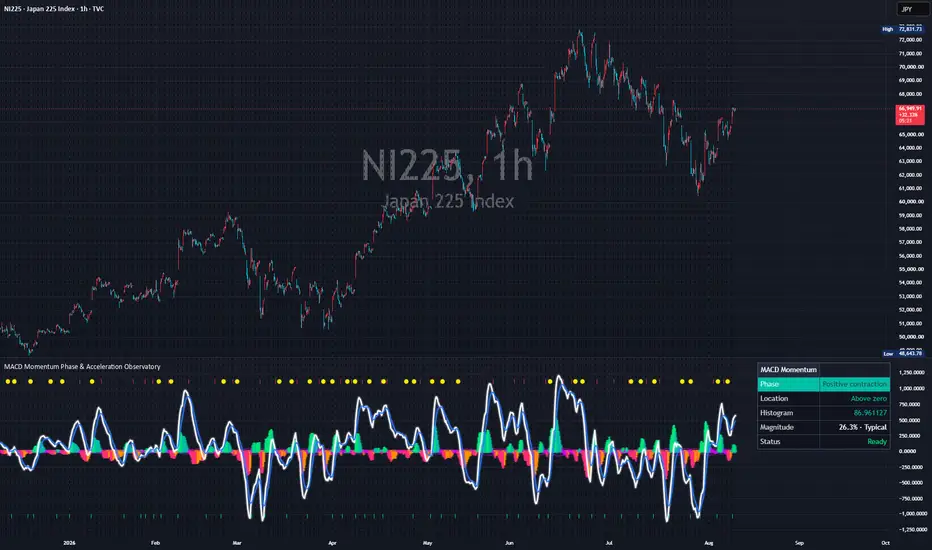
MACD Momentum Phase & Acceleration Observatory

Extends the familiar MACD, Signal and Histogram with five descriptive phases, adaptive equilibrium, relative Histogram magnitude, reactivation after subdued conditions, cross-cycle peak retention and MACD path efficiency. The pane colors, markers and readout provide momentum context, not trade signals.

ForUsers studying MACD expansion, contraction, equilibrium and persistence beyond a crossover

Momentum
Soon

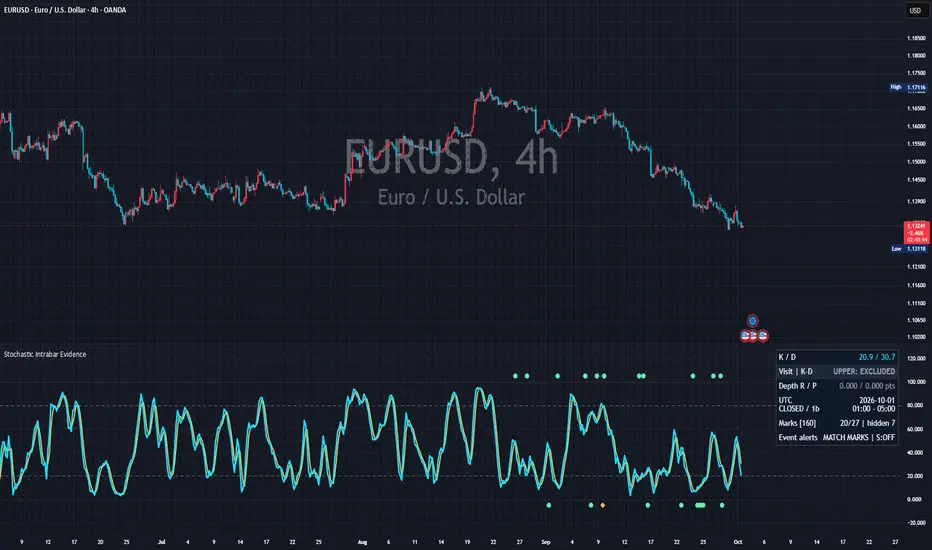
Stochastics

Shows the relative price position within a set period.

ForTraders gauging position within a range

Add to TradingView
Momentum
Soon

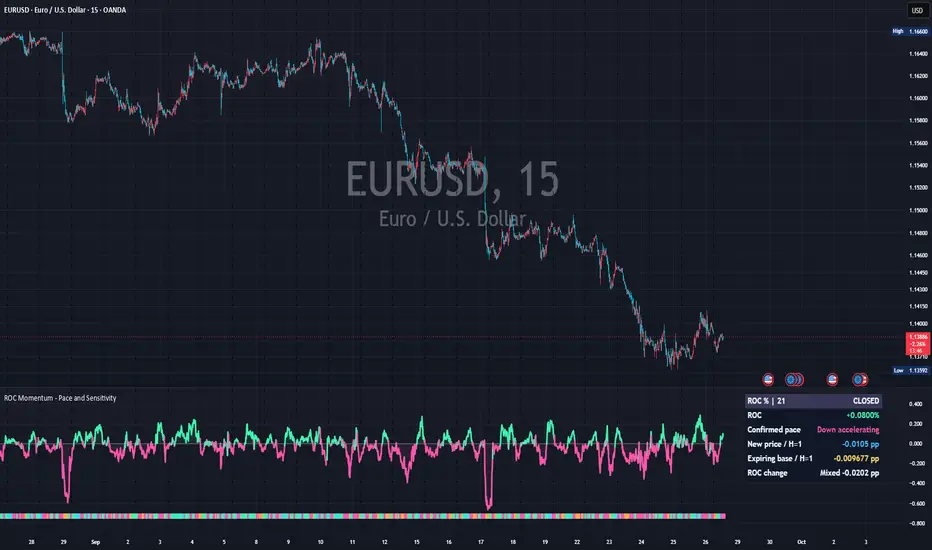
Momentum / ROC

Shows the strength of moves via rate of change.

ForTraders watching momentum accelerate or fade

Add to TradingView
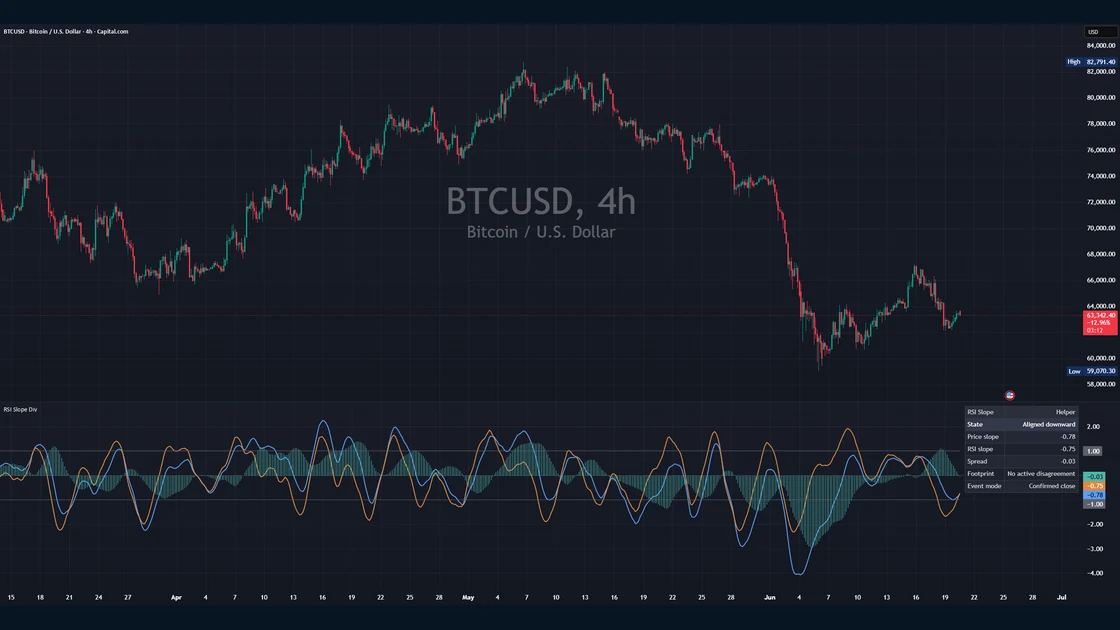
RSI Divergence Helper published TradingView chart example
Momentum
Live

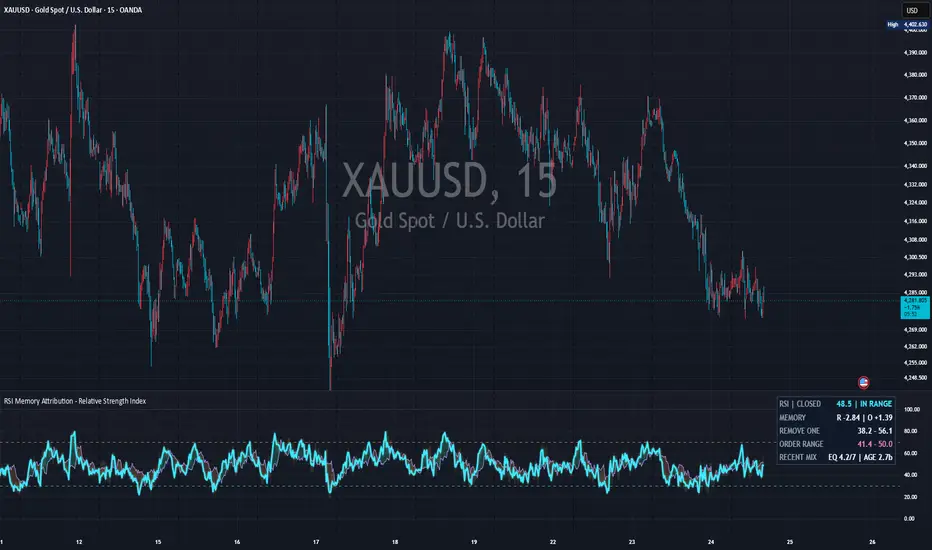
RSI Divergence Helper

Normalizes the rolling slope of price and the rolling slope of RSI and plots the difference between them as a spread histogram. Rather than a classic pivot-divergence detector, it frames slope agreement and disagreement as neutral states (aligned up or down, upper or lower disagreement, flat, mixed). A Divergence Footprint layer (episode duration, peak spread, expansion and phase gap) plus a compact dashboard make it a context tool for reading divergence between price and momentum.

ForTraders checking for divergence

Levels

Price structure / Levels

5 tools
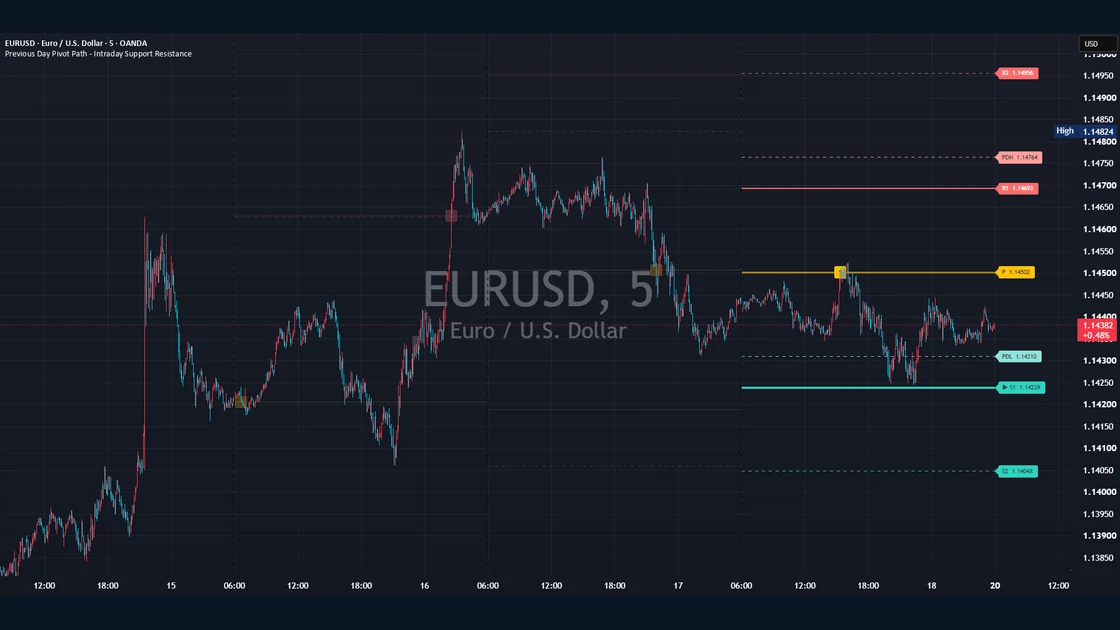
Previous Day Pivot Path - Intraday Support Resistance published TradingView chart example
Levels
Live

Previous Day Pivot Path – Intraday Support Resistance

Built for intraday charts, this study calculates the current day’s central pivot and support/resistance levels from the confirmed OHLC values of the previous selected trading day, then records the first chart bar to reach each level and assigns an arrival rank. It supports five formula families, wick/body/confirmed-close arrival definitions, reached-level fading, emphasis on the nearest unreached level, and optional context such as CPR and previous-day references. It is a neutral visualization and research tool for mathematically derived daily levels and their arrival path, not a source of trade signals or predictions.

ForIntraday traders and researchers who want to track previous-day pivot levels, first-arrival order, and the nearest unreached reference level

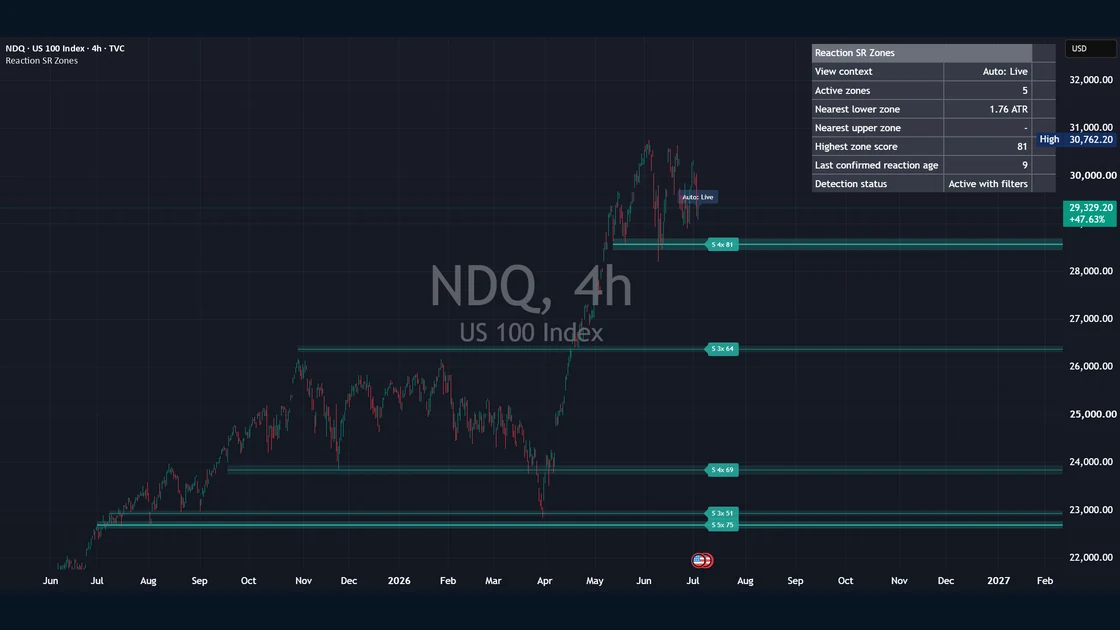
Reaction Based Support and Resistance Zones published TradingView chart example
Levels
Live

Reaction Based Support and Resistance Zones

Treats confirmed pivot highs and pivot lows as reaction events and clusters nearby reactions into horizontal reaction zones. Each zone is scored from touch count, freshness, ATR-normalized reaction strength and a width penalty, and labelled with a neutral state — support-like, resistance-like, mixed or inactive. It also plots local reaction levels for historical study, a context dashboard and alerts for confirmed reaction-zone events. It does not generate trading signals or provide entries, exits, targets or stops — the zones are historical reaction context, a visual price-action study tool, not predictions.

ForTraders doing visual price-action research who want support/resistance as historical reaction context

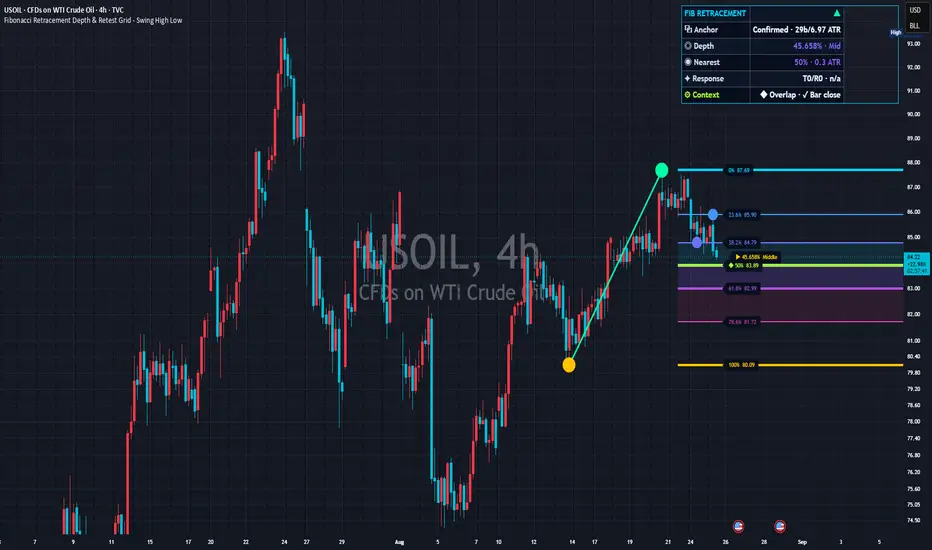
Published TradingView chart example: Fibonacci Retracement Depth & Retest Grid - Swing High Low
Fibonacci
Live

Fibonacci Retracement Depth & Retest Grid – Swing High Low

Builds ten editable Fibonacci ratio slots from a confirmed swing, manual origin or rolling range, then reports depth bands, distinct touch episodes, fixed-horizon responses and proximity to ratios from a larger range. It is not a trade signal.

ForUsers researching pullback depth, distinct level contacts and fixed-horizon responses

Levels
Soon

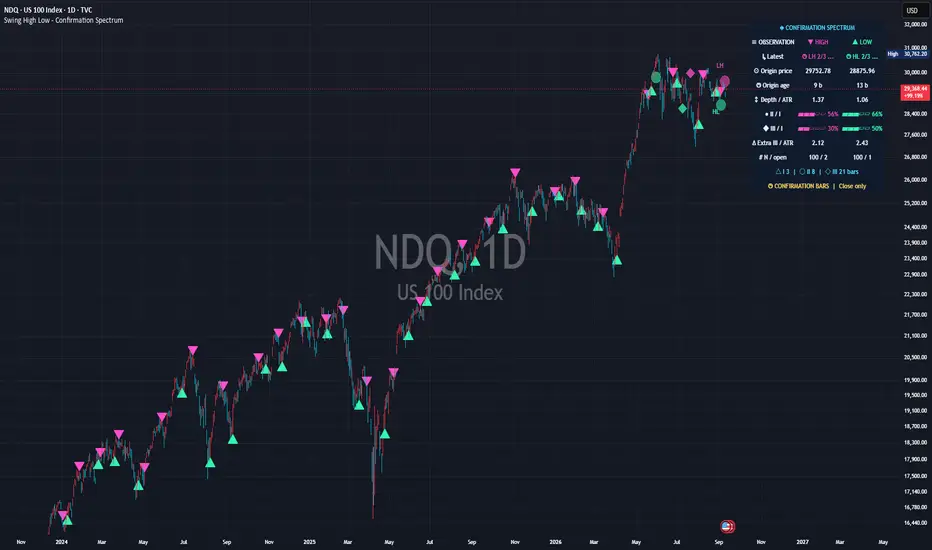
Swing High / Low Markers

Automatically marks recent swing points.

ForTraders spotting wave tops and bottoms

Add to TradingView
Levels
Soon

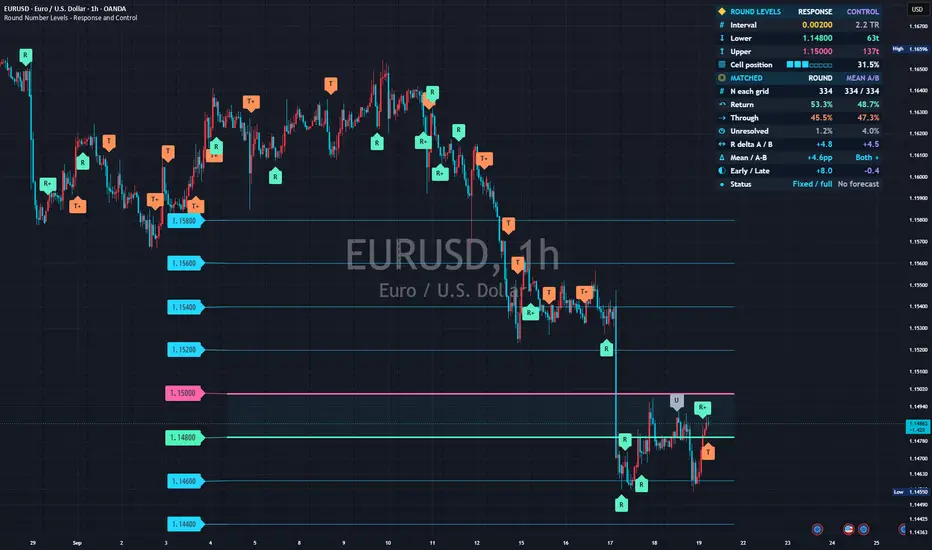
Round Numbers

Plots psychological round-number levels at even intervals.

ForTraders mindful of round numbers

Add to TradingView
Volume

Volume / Market internals

4 tools
Volume
Soon

Volume Profile (Lite)

Shows volume distribution by price band as horizontal bars.

ForTraders looking for high-volume price areas

Add to TradingView
Volume
Soon

Relative Volume

Shows how strong volume is versus normal.

ForTraders spotting unusual volume

Add to TradingView
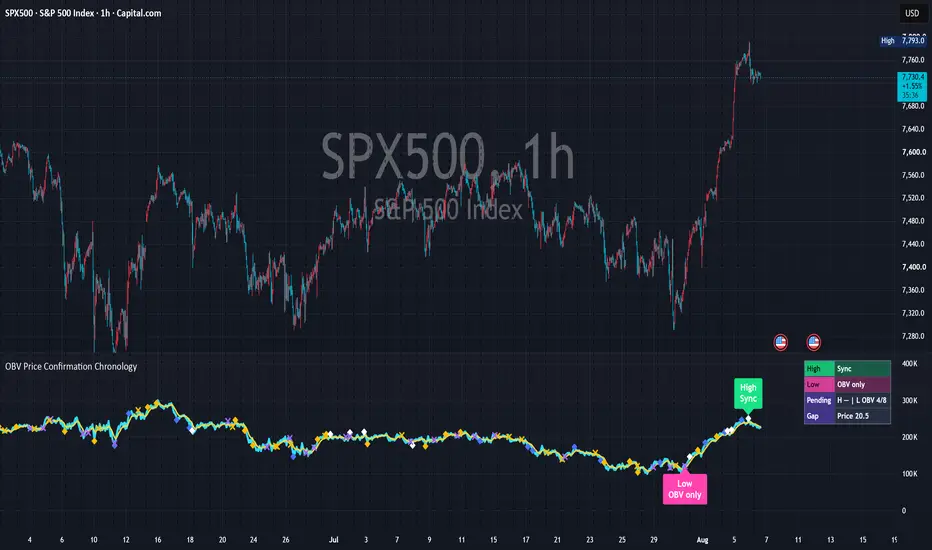
Published TradingView chart example: OBV Price Confirmation Chronology - On Balance Volume
Volume
Live

OBV Price Confirmation Chronology – On Balance Volume

Compares when price and classical OBV set rolling high-side and low-side records, then classifies each chronology as OBV led, Price led, Synchronized, Price only or OBV only. Markers, latest labels and a status table track price-volume confirmation timing in a separate pane. It is not a trading signal or classic pivot-divergence detector.

ForResearchers checking whether volume led, followed or failed to match a price record

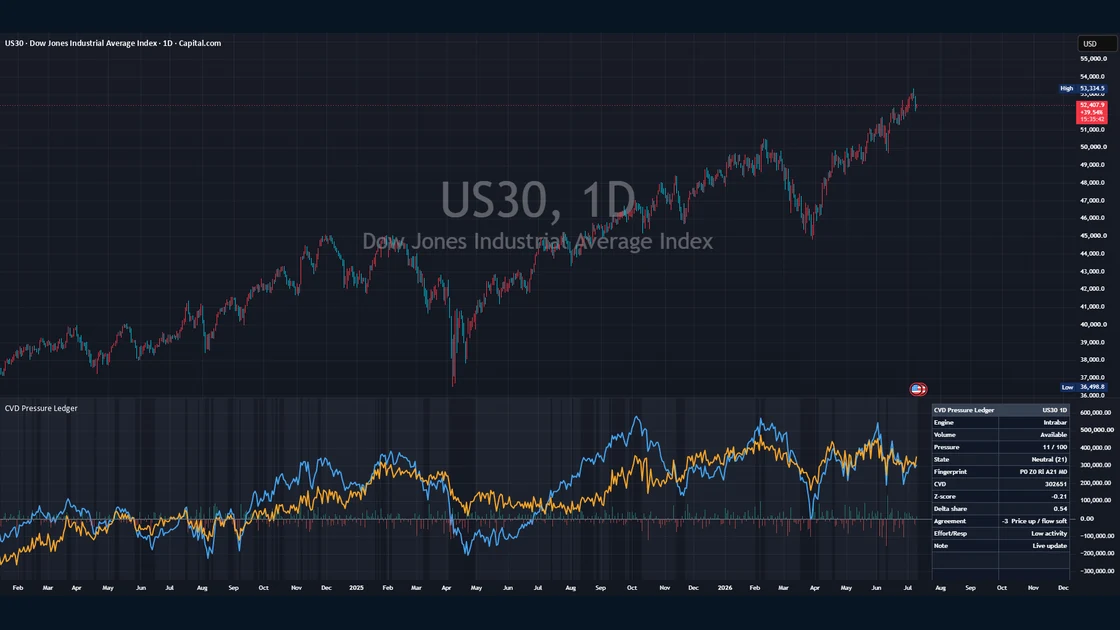
CVD Pressure Ledger - Cumulative Volume Delta Flow published TradingView chart example
Volume
Live

CVD Pressure Ledger – Cumulative Volume Delta Flow

A reset-aware cumulative volume delta (CVD) framework that layers a CVD line, CVD candles, a bar-by-bar delta histogram, a pressure-score line and a compact ledger table. It derives contextual metrics — CVD z-score, percentile, delta-share normalization, pressure-persistence age and an effort-versus-response classification — and combines CVD slope, delta share, z-score and persistence into a −100 to +100 pressure score, plus a compact “ledger fingerprint” that summarizes the current state. It is a context and visualization tool, not a trading system: it does not generate buy/sell signals or provide entries, exits, targets or stops — it visualizes the slope of supply/demand pressure as context. Delta figures are approximations when the selected data source or lower-timeframe information is unsuitable.

ForTraders who want to read the slope of supply/demand pressure, volume imbalance, price-flow agreement and effort-versus-response context


Risk

Risk management / Tools

4 tools
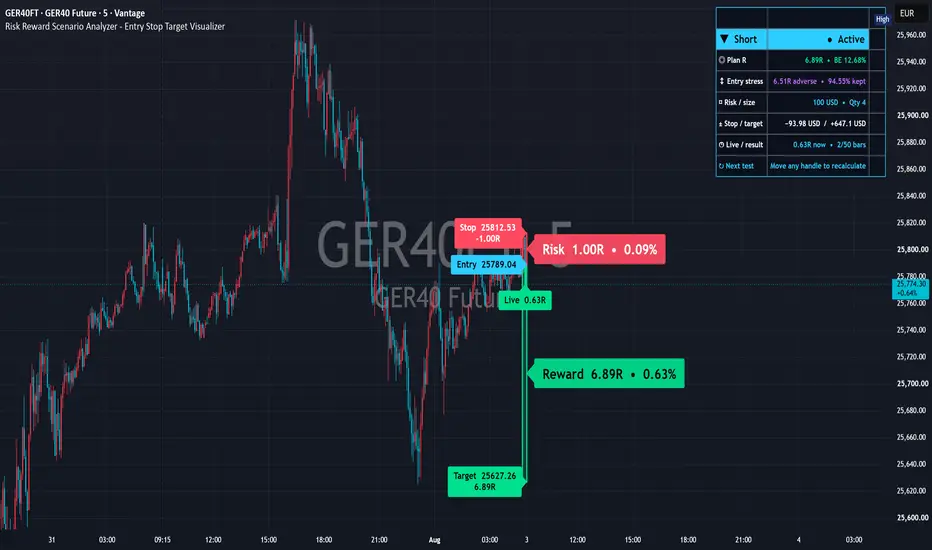
Published TradingView chart example: Risk Reward Scenario Analyzer - Entry Stop Target Visualizer
Risk
Live

Risk Reward Scenario Analyzer – Entry Stop Target Visualizer

Visualizes manually defined Entry, Stop loss and Take-profit target levels as risk and reward boxes. It calculates planned R, compares favorable and adverse entry-price drift, and reviews which level was reached first on confirmed chart bars.

ForTraders who want to inspect reward-to-risk visually and compare manually defined scenarios before execution

Risk
Soon

Position Size Helper

Shows a rough order quantity from your accepted risk.

ForTraders checking a quantity estimate

Add to TradingView
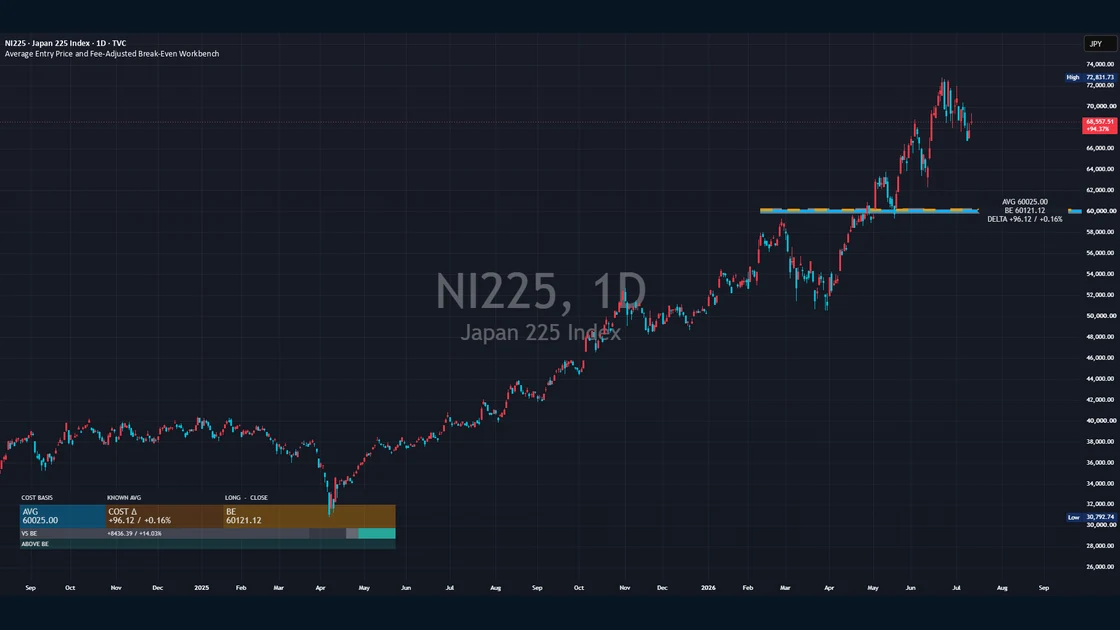
Average Entry Price and Fee-Adjusted Break-Even Workbench published TradingView chart example
Risk
Live

Average Entry Price and Fee-Adjusted Break-Even Workbench

An open-source position cost-basis and break-even research indicator. It reconstructs a manually entered position’s average entry price, weighted average cost and DCA cost basis, then calculates a cost- and fee-adjusted break-even level after configurable trading fees, spread or slippage, fixed costs and funding adjustments. It supports Long and Short positions and either a known average price or up to eight individual fills, plotting a cyan average-entry line, an orange dashed break-even line and the shaded Cost Gap between them. A compact panel sums up AVG (weighted average entry), COST Delta (cost impact between average and break-even), BE (cost-adjusted break-even) and VS BE (price distance from break-even), alongside Campaign Recovery, Next Fill and Target Calculation scenarios and fill-concentration statistics. It does not predict market direction, generate trade recommendations, read broker positions or place orders — an arithmetic, input-driven visualization and research tool whose output depends on the accuracy of your inputs.

ForTraders who want to visualize and research a fee- and cost-adjusted break-even and average entry price from manually entered positions

Time
Soon

Time Alert Marker

Draws a vertical line at a time you specify.

ForTraders who don’t want to miss a time

Add to TradingView

Continue beyond the free indicator

Do not stop at adding an indicator: follow four connected steps

After adding a script, verify its settings and overlap, test separate assumptions with independent financial tools, then return to the wider market context through Daily Market Analysis. Each step has a distinct job; the indicator does not complete the decision by itself.

  1. TRY

    Try an indicator

    Choose from 22 live indicators and add the one that matches the question to TradingView. Start with one role at a time instead of stacking several studies that draw similar levels.

  2. READ

    Read the TradingView guide

    Use the overlap and repainting checklist to review settings and combinations. Treat similar drawings from multiple indicators as separate tools rather than assuming they confirm the same signal.

  3. VERIFY

    Use the financial tools

    Keep chart observation separate from backtest history, trading-cost estimates and single-position lot or quantity calculations by checking each assumption in its dedicated tool.

  4. CONTINUE

    Daily Market Analysis

    Review the context across equity indices, rates, FX, commodities, crypto, policy and company events, then compare what the indicator shows with the wider set of market drivers.
03 — Contact

Contact

Questions about setting a tool up, or a bug to report? Feel free to get in touch.

Contact form
https://sggroup.jp/en/contact/
Email
contact@sggroup.jp
Desk
SG Group · Financial Analysis Tools Desk
Response hours
Weekdays 10:00 – 18:00 (JST) / Standard reply target within 2 business days